
Back
Usage Guidelines
Go through our guide to use the assets correctly and judiciously
Back
Do's


To allow our logotype to stand out, do not place any objects such as graphics or text in the clear space shown.
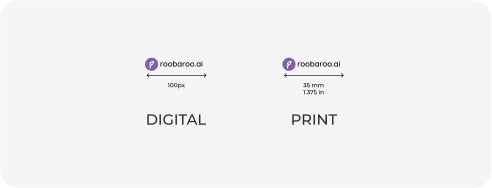
The logotype should always be legible. Never use it at sizes smaller than specified.
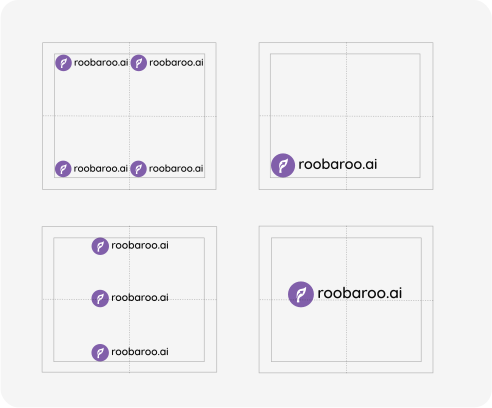
This general guidance applies to digital or print applications, including both portrait and landscape orientations.
When creating a composition, place the logo in one of the four corners, or center it on the central vertical axis. Take advantage of the space and make the logo as large as possible. Remember: Be bold, be proud, make it big!
Avoid using the logotype at sizes smaller than one-third of the canvas width.
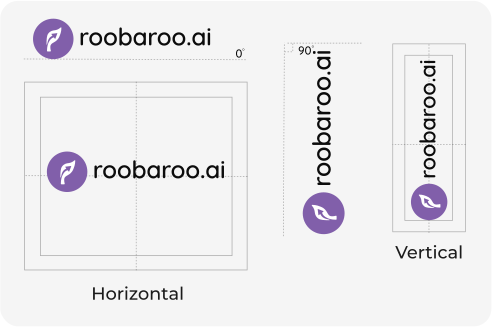
Typically, we place our logotype flat on a 0° angle. Horizontal is our default rotation state. Examples include use in our app, on our website, and most advertising formats
Occasionally, we rotate our logotype 90° to make the best use of space with unusual formats. By rotating the logo vertically, we are able to display it at a larger scale. Examples include vertical ad spaces such as "skyscraper" banner ads, physical banners/flags, and playful applications like merchandise or stationery.
Don'ts

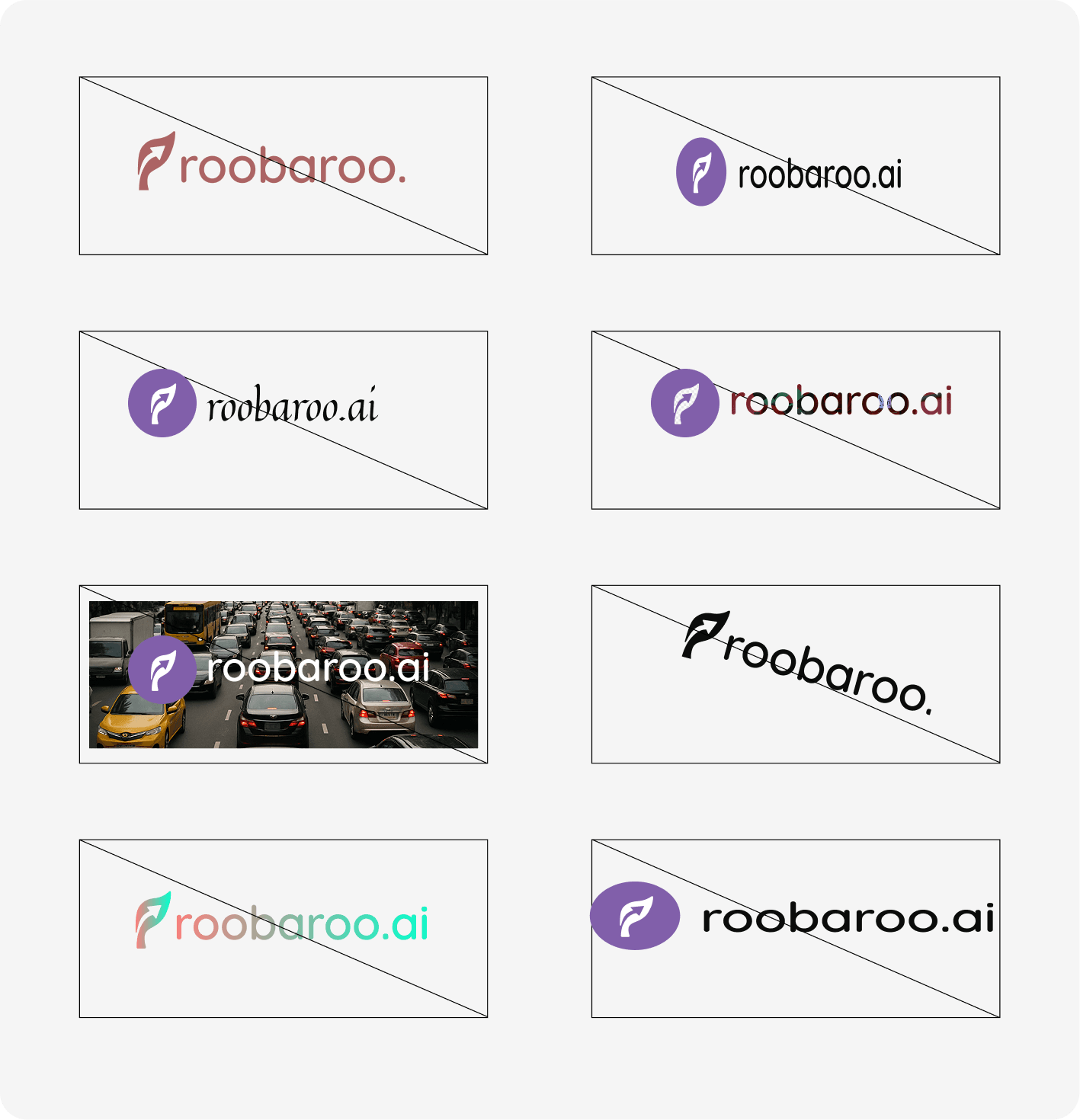
Change the colour of the logo.
Squash the logo.
Recreate the logo using a different font
Fill the logo with images.
Place the logo over a busy background.
Skew the logo. Accepted rotations are 0° and 90°.
Fill the logo with gradients.
Change the logo's spacing or proportions.
Do's
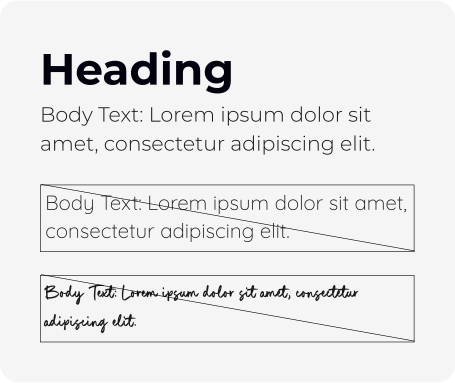
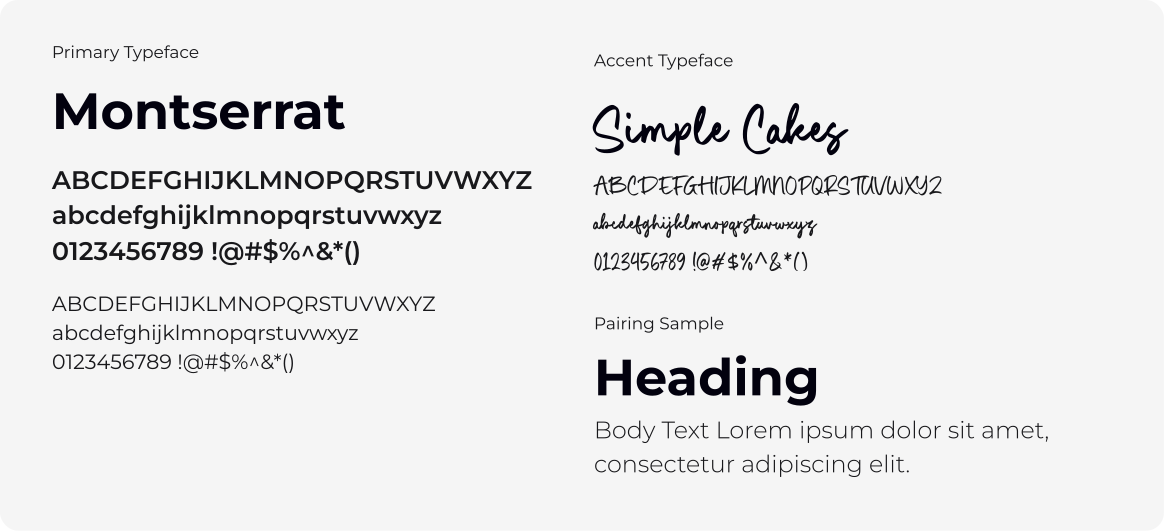
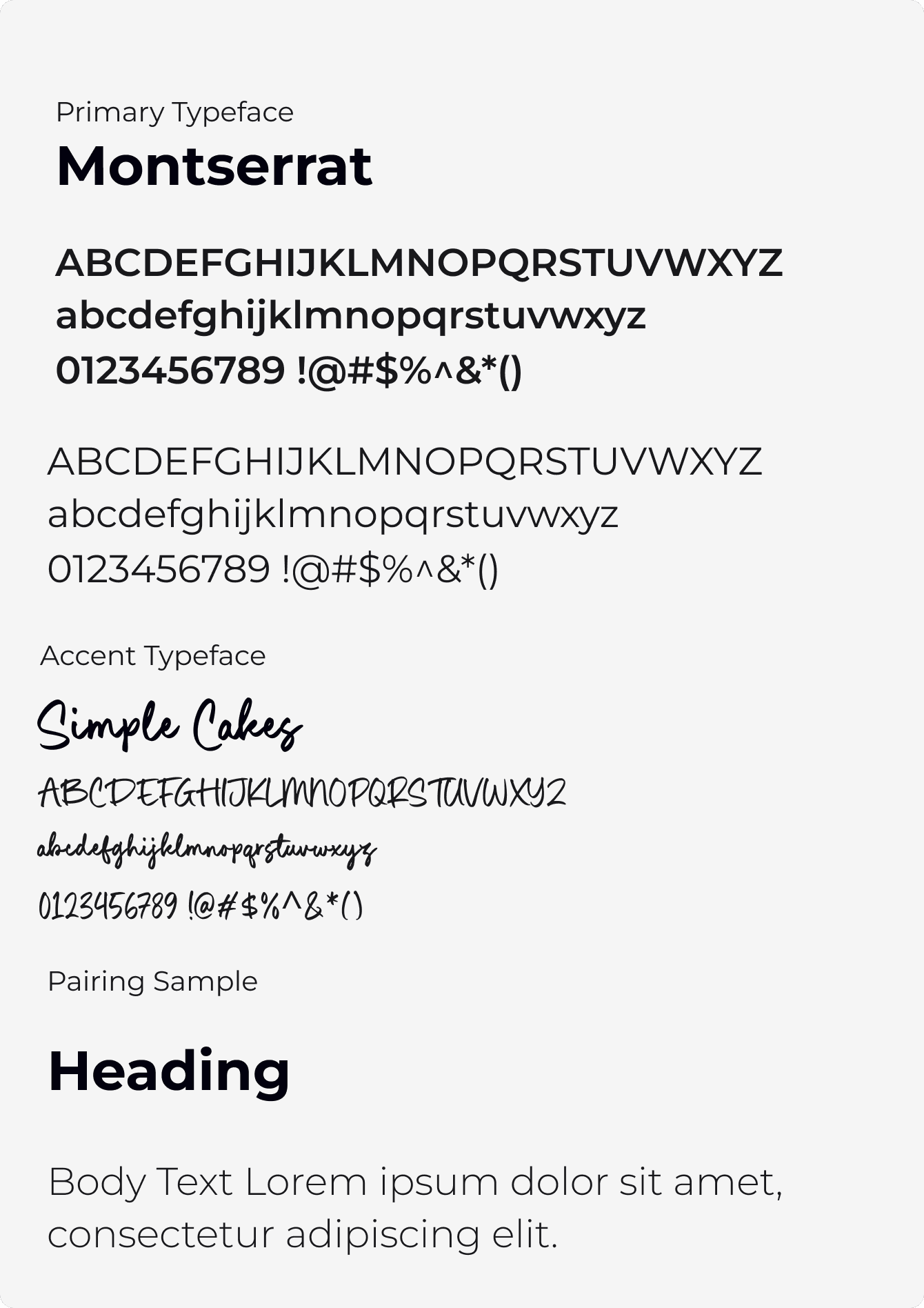
Use Montserrat consistently across all headings, subheadings, body text, and UI components to establish a cohesive, modern visual identity
Reserve Quicksand for the Roobaroo logo only. It’s an essential part of the brand mark and should not appear elsewhere.
Introduce Simple Cakes selectively, in emotional or expressive moments like quotes, highlights, personal notes or emphasis on intimacy and creativity.
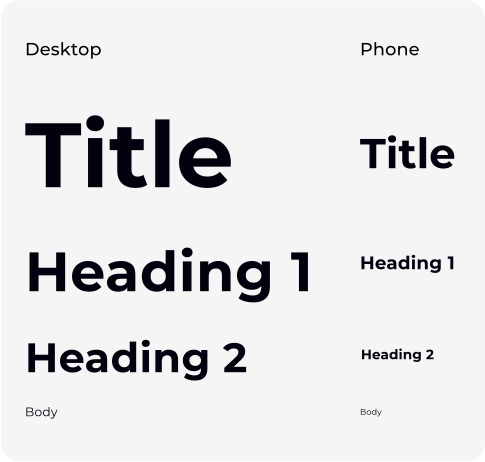
Follow the typography scale defined in the component library. Heading, subheading, title, and body text sizes have been pre-defined for both desktop and mobile for consistency across all screens.
Adhere to the defined sizes and spacing for visual harmony across the product.
Only define custom sizes in rare, extraordinary cases — such as marketing-led experimental layouts or special campaign visuals. Always justify and document such deviations.
Maintain clear visual rhythm through adequate white space, padding, and line height..
Don'ts
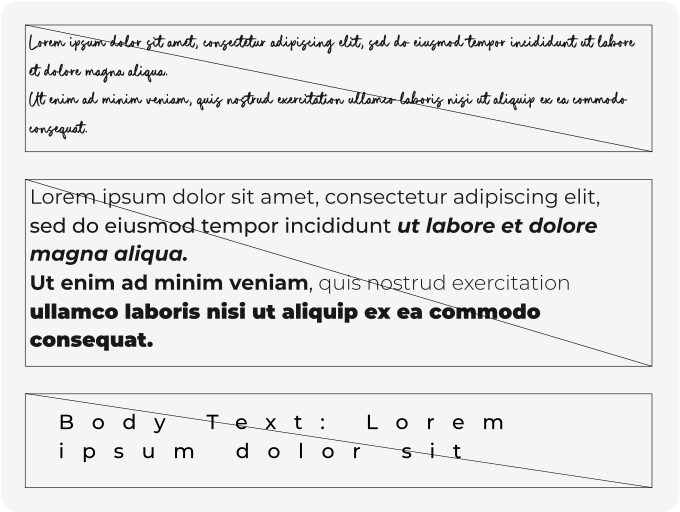
Don’t distort or stretch typefaces – maintain their natural proportions to uphold clarity and professionalism.
Don’t use too many font sizes or weights on a single page – maintain a streamlined, intentional hierarchy.
Don’t ignore context – match typeface tone to the moment:formal sections require Montserrat, intimate moments invite Simple Cakes.
Don’t default to system fonts in branded materials —always use the defined typography system unless absolutely necessary for fallback scenarios.
Do's
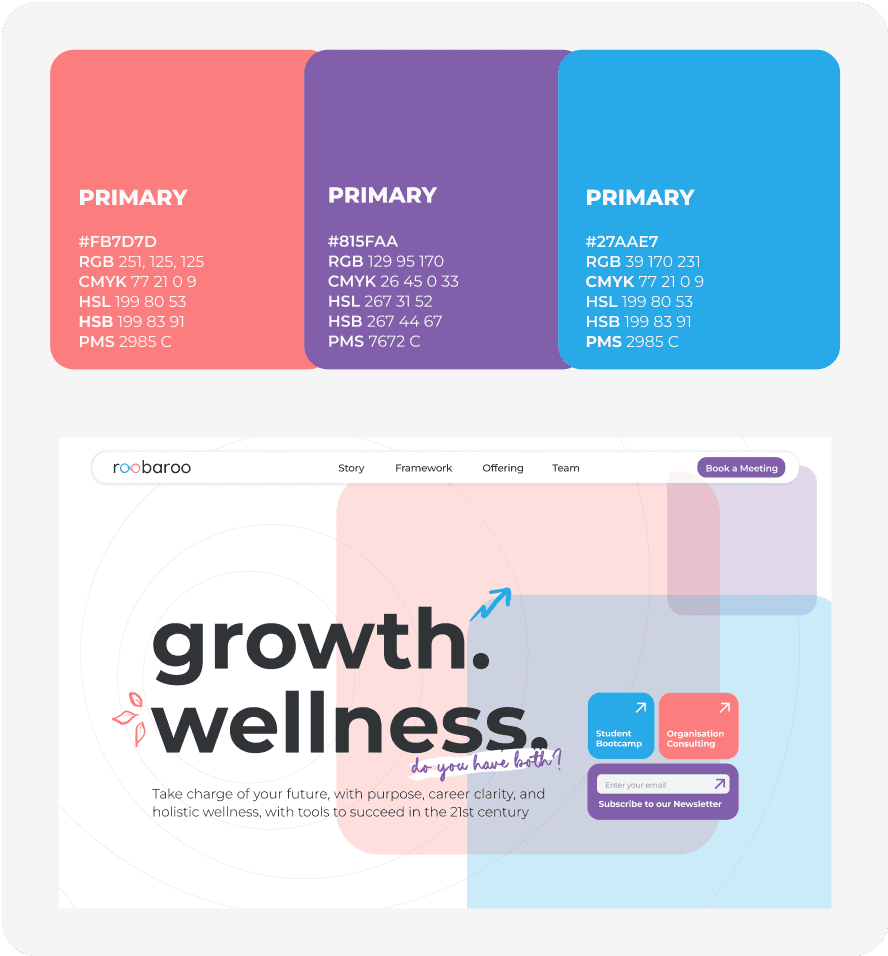
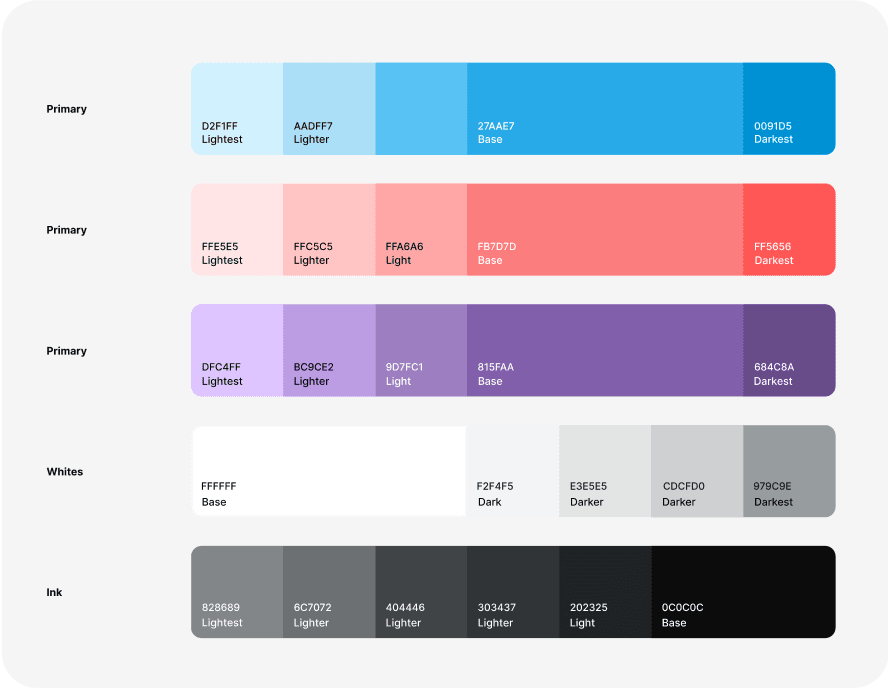
Ensure all three primary colors are used in balanced proportions across the brand experience — this reflects the integrated nature of Roobaroo’s identity.
Use Sky Blue (#27AAE7) as the dominant color in content or sections related to growth, clarity, learning, and productivity.
Use Coral Blush (#FB7D7D) as the dominant color in content or flows related to wellness, care, emotional support, and safety.
Use Bridge Purple (#815FAA) as the dominant color in themes of balance, transition, emotional intelligence, or neutrality.
For general or neutral sections (e.g., homepage, shared spaces), ensure all three colors are used in roughly equal proportions to maintain harmony.
When unsure which color to use for highlighting, default to Bridge Purple as a neutral yet emotionally intelligent middle ground.
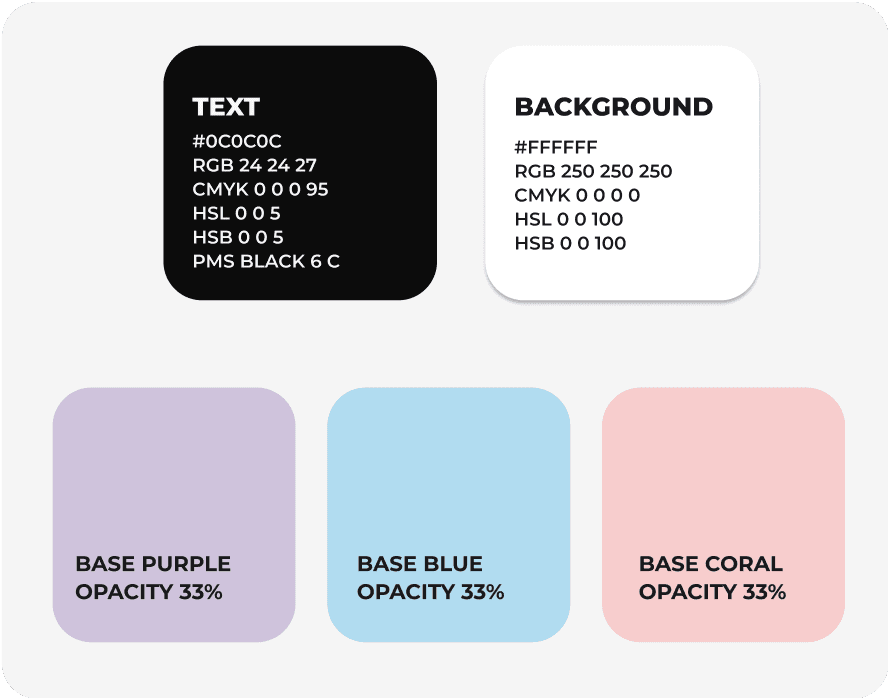
Use Jet Black (#0C0C0C) for all core text content to ensure readability and establish a credible, grounded tone
Use Pure White (#FFFFFF) or soft off-white as the primary background for a clean, breathable interface.
Use lighter tints or reduce opacity of Base of Sky Blue, Coral Blush and Bridge Purple for:

Backgrounds of cards, containers, and overlays
Hover states and UI feedback moments
Illustrative depth and non-intrusive visual accents
Follow WCAG 2.1 guidelines for contrast and accessibility, especially for text and buttons
Use colors as defined in the component library to maintain consistency across screens, devices, and documents.
Refer to design tokens when applying color in UI — avoid guessing or approximating shades.
Don'ts
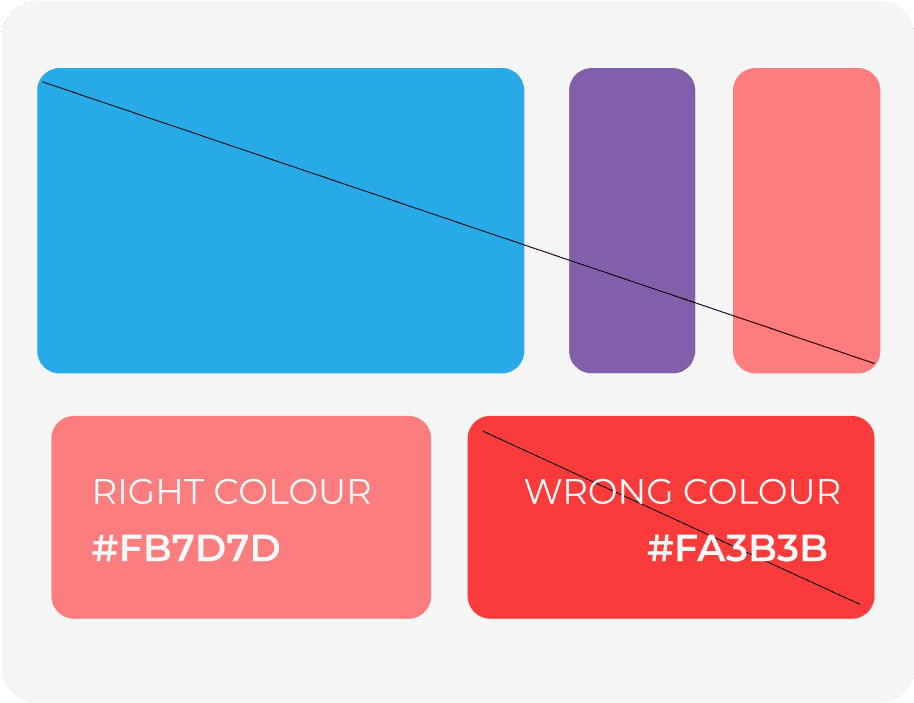
Don’t use a single color excessively – maintain visual balance by using all three primary colors in proportion to reflect Roobaroo’s integrated identity.
Don’t improvise shades –use only the defined color values or tokens to ensure consistency across platforms and design touchpoints.
Don’t apply colors inconsistently across platforms –maintain color roles and combinations across web, mobile, and print to build trust and visual recognition.
Do's
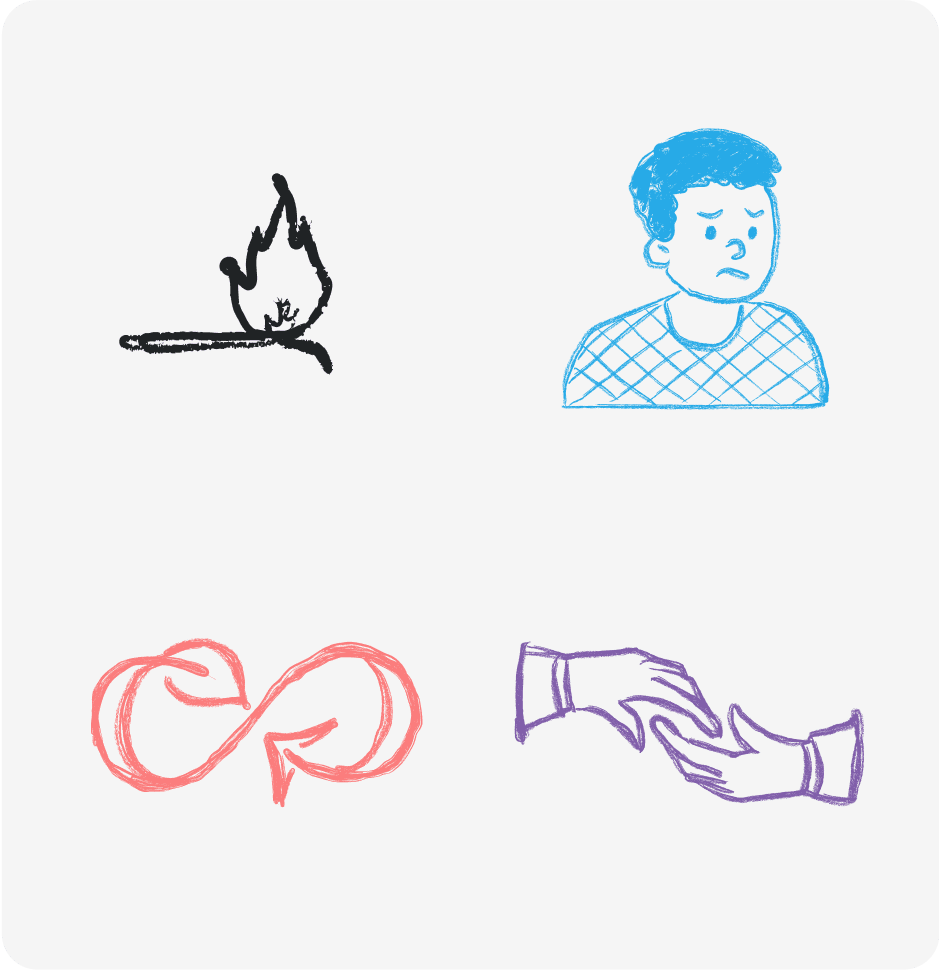
Use visuals that feel human and relatable – illustrations, icons, and shapes should reflect warmth, inclusivity, and emotional safety.
Maintain visual consistency across all assets – follow the same line weight, color palette, and style across icons, illustrations, and shapes.
Use abstract shapes and patterns to guide flow – support hierarchy, transitions, or mood through subtle visual accents.
Prioritize clarity and purpose in visuals – every visual should serve a clear function—either to explain, guide, or emotionally connect.
For general or neutral sections (e.g., homepage, shared spaces), ensure all three colors are used in roughly equal proportions to maintain harmony.
Anchor visuals in the brand palette – use Sky Blue, Coral Blush, and Bridge Purple in illustrations and icons to maintain brand continuity.
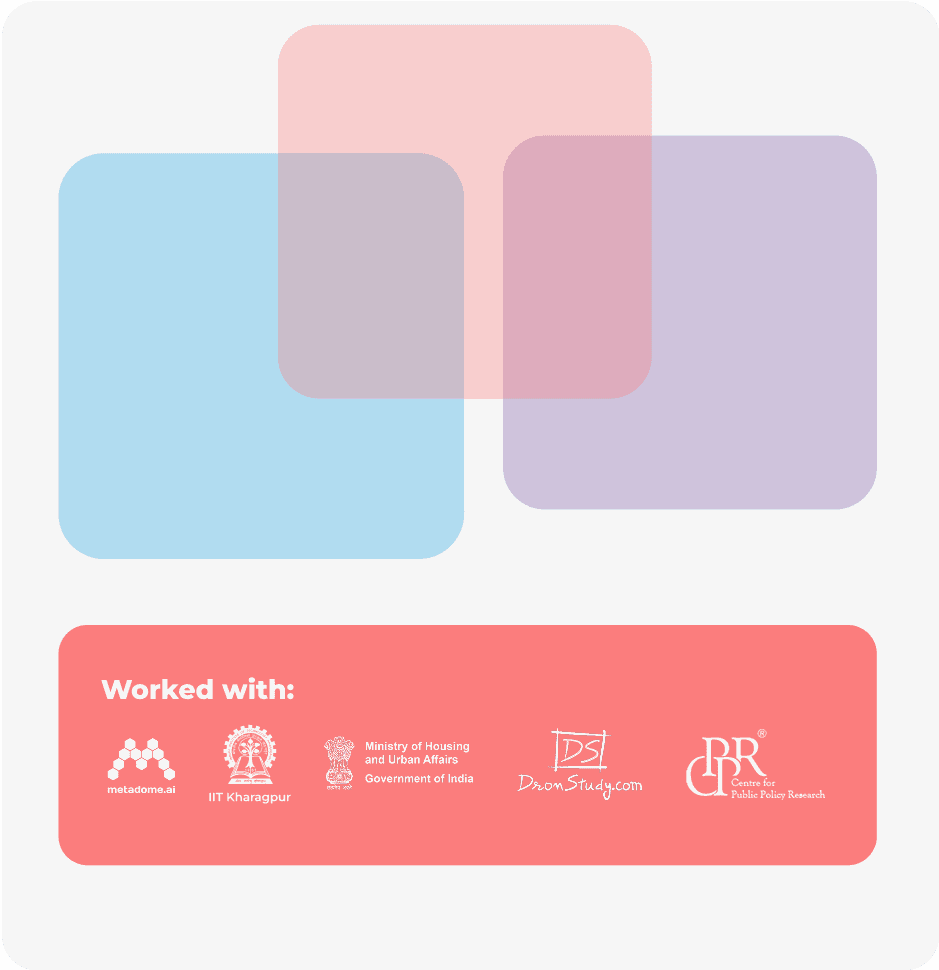
Background boxes – The colours used should not overpower the content. For safe consistent use, keep the primary colour with 33% opacity. Even if one box is bigger than the other, the overall balanced should be achieved with by placing the boxes judiciously. The movement of the box should be slow and soothing.
Boxes used in bento grids – The primary colours are directly used. The number of times the colours are used need to be consistent. In bento. The spacing between the boxes need to be same and aligned.
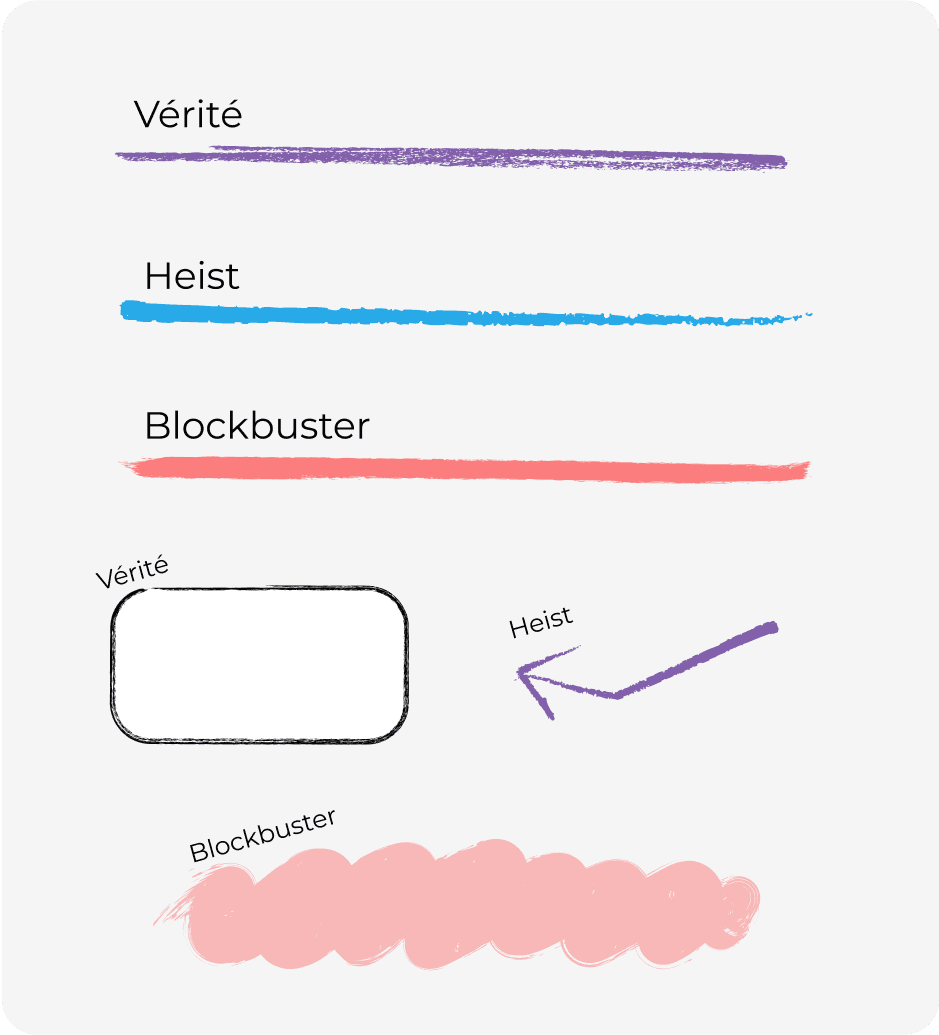
The strokes used are FIGMA built-in brushes in the DRAW section.
Vérité is used to get a chalky effect; for example, in creating boxes and larger illustrations.
Heist is used for getting a textured stokes; for example, to highlight small textboxes, to draw arrows and lines.
Blockbuster is used for wherever cleaner strokes are required, to reduce eye strain; for example, in creating smaller illustrations and icons, to highlight bigger textboxes.
Do not overuse the strokes, making the overall look cluttered. Keep minimal use with appropriate breathing room.
Don'ts
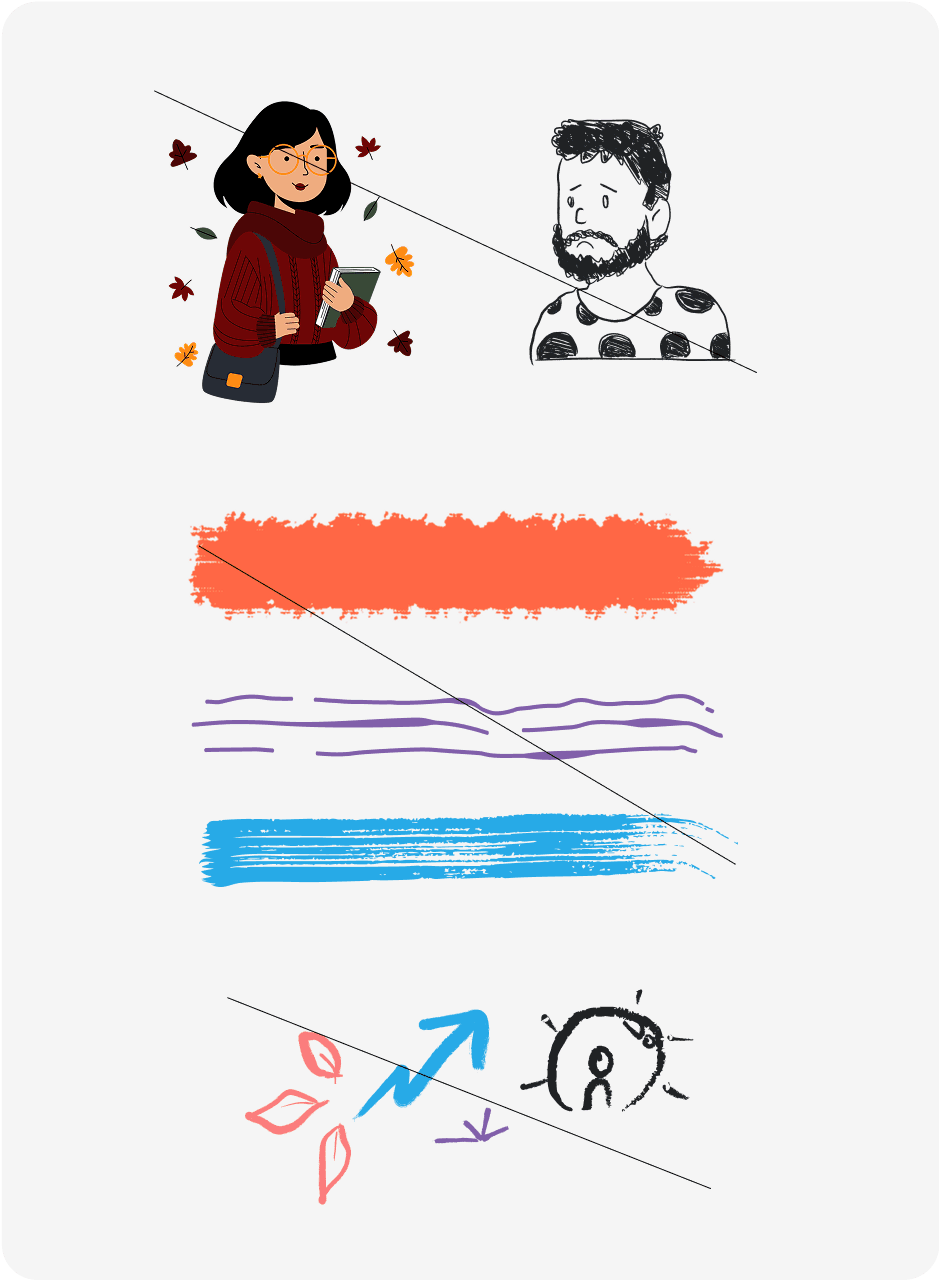
Don’t mix multiple illustration styles – avoid using drastically different illustration types (e.g. flat + 3D + outline) in a single experience. Use the appropriate brush stroke only.
Don’t use decorative visuals without meaning –avoid filling space with visuals that don’t support the content or purpose.
Do not use other brush strokes –To maintain consistency, only use the Figma built-in strokes, and in that too, only the defined ones (Blockbuster, Vérité & Heist).
Don’t overuse graphic elements –our overall brand feeling is clean and creative. Do not put too much lines, illustrations etc, and compromise on the cleanliness part of the brand. .
Don’t use clipart or generic stock visuals – they dilute Roobaroo’s unique tone and emotional connection. Always aim for custom or curated brand-aligned assets.